
Mealkit
Your kitchen has dinner in it.
Tell Mealkit what you've got, and it finds a real dinner from whatever's already in there. Less takeout, less waste, more food you actually cooked.
Pre-ordering is free and takes one tap — no email, no sign-up, and Mealkit installs itself on launch day.

How it works
How does Mealkit work?
Show Mealkit your kitchen, and it gives you three real recipes built from what you actually have.
-

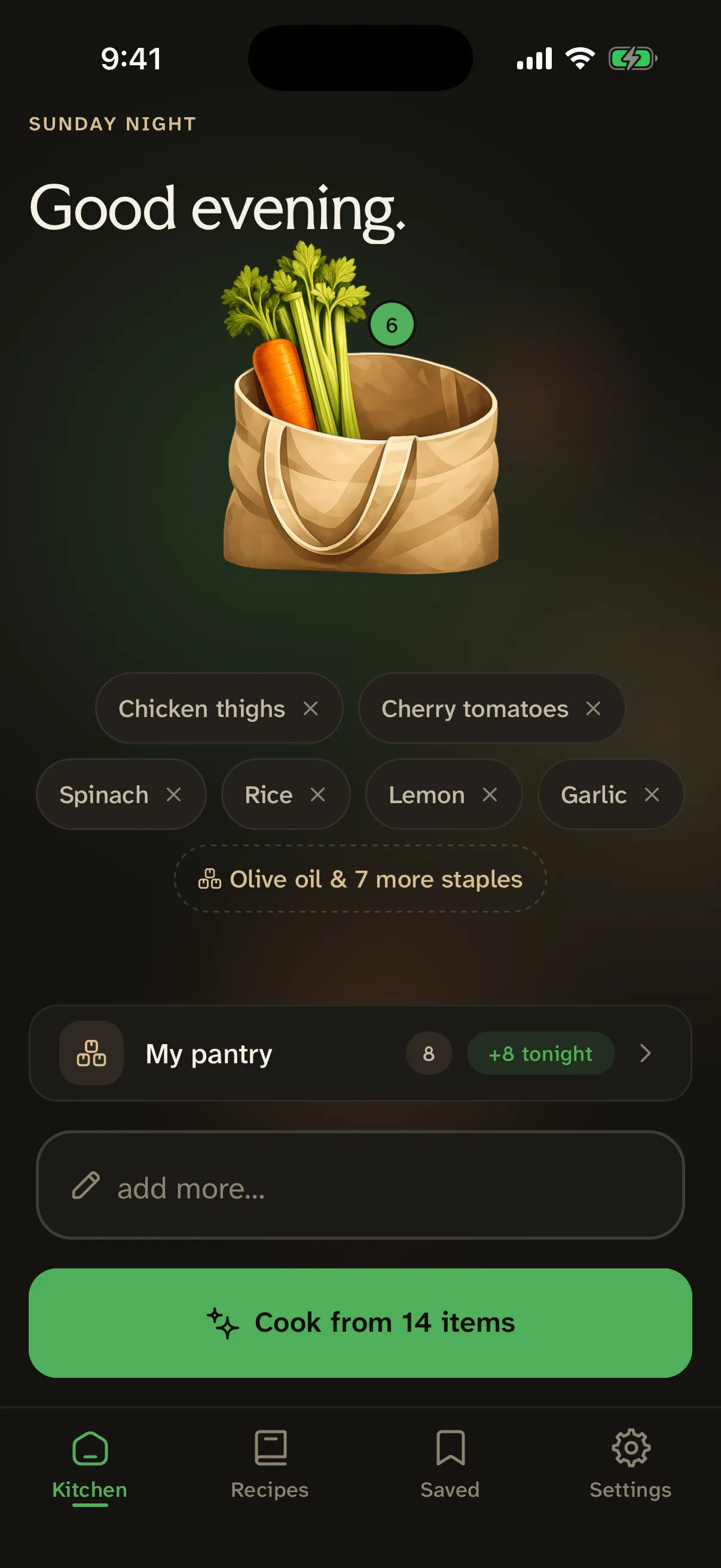
Show Mealkit your kitchen.
Photograph your fridge or counter, scan a grocery receipt, scan a barcode, or type your ingredients in by hand. Whatever's fastest for you.
-

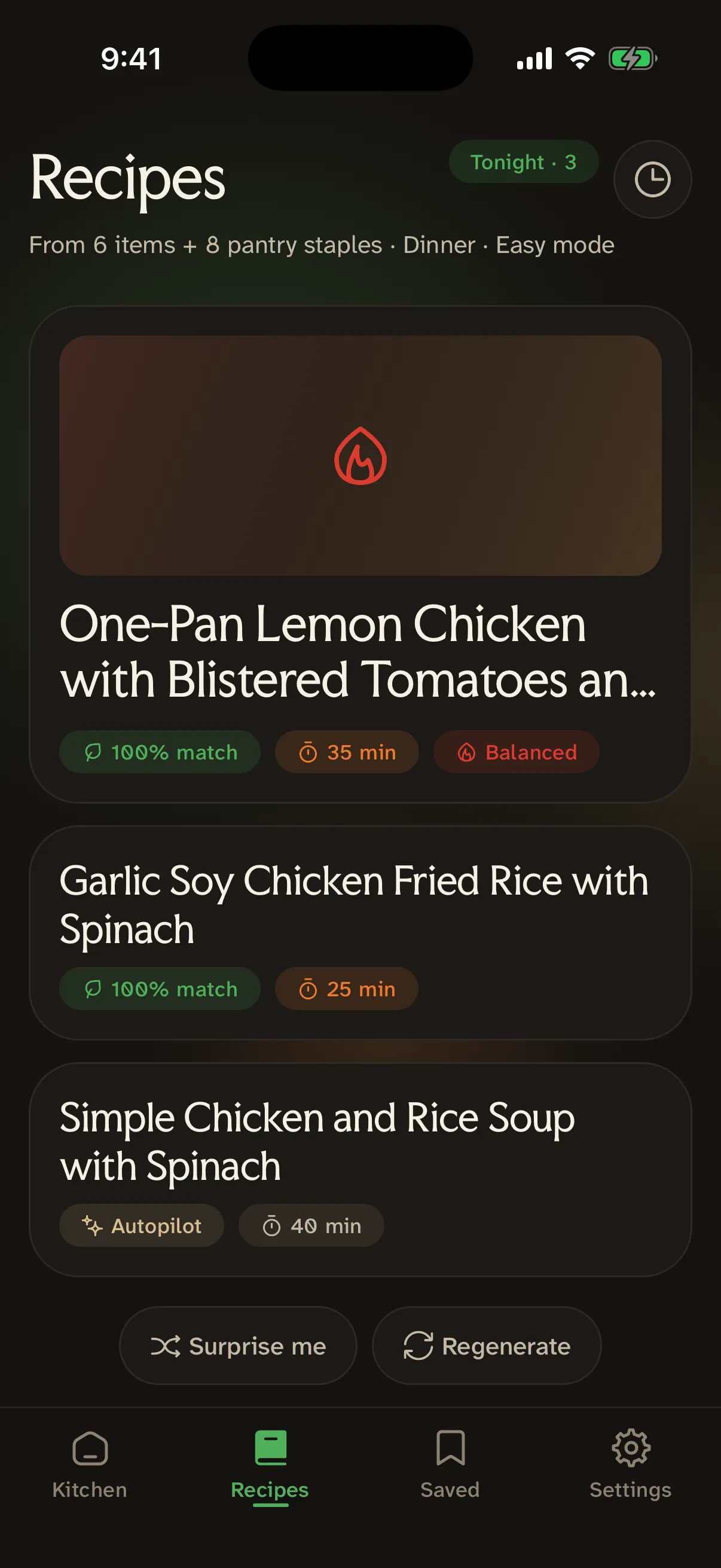
Get 3 recipes, built for what you have.
Mealkit reads your ingredients and generates three real recipes around them — not around a product it wishes you'd bought. Easy when you want fast and forgiving, Chef when you want to put in the effort.
-

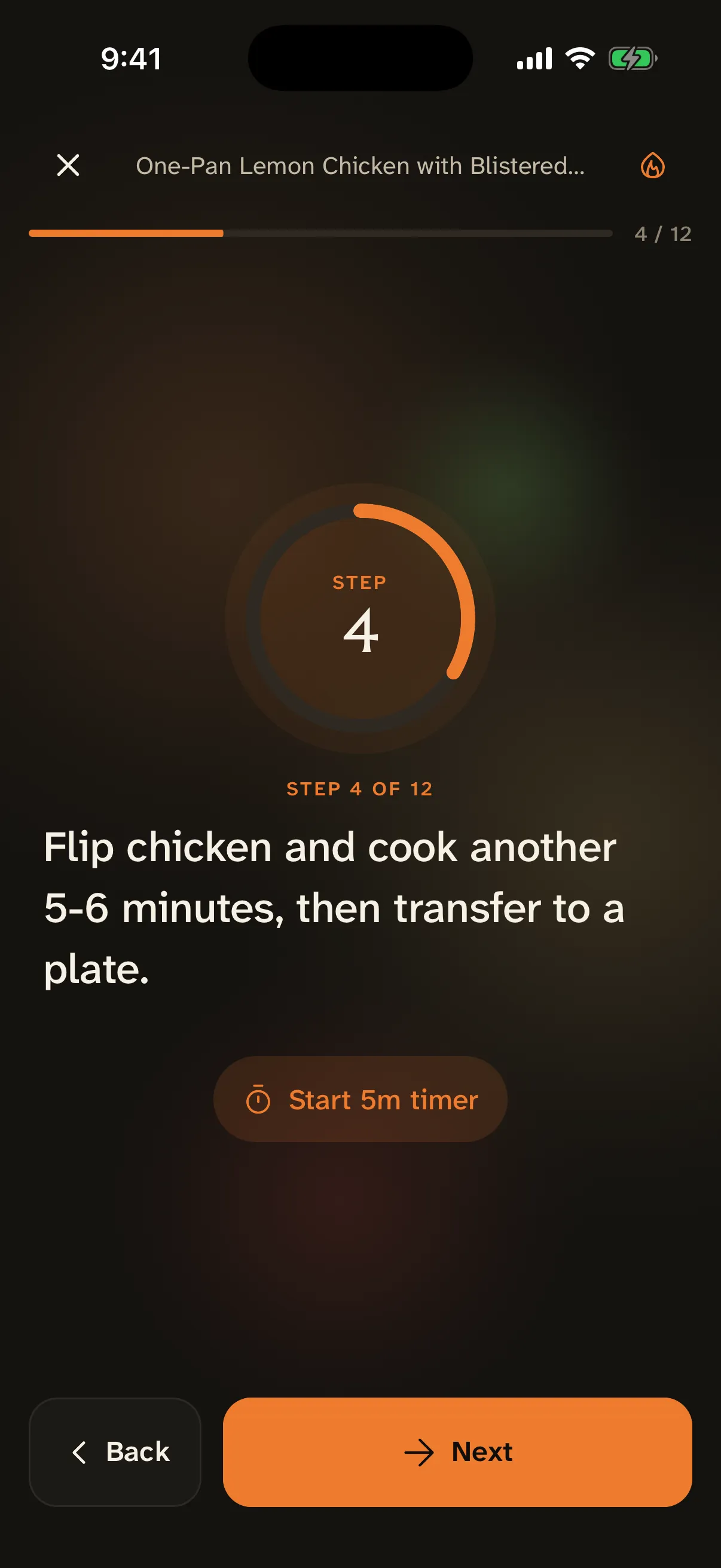
Cook without losing your place.
A guided, step-by-step cook mode walks you through one step at a time, with timers built in — no scrolling back and forth with wet hands.
See it in motion
The whole thing, one scroll.
- 01 Snap
Point at your fridge
One photo of what you’ve actually got. No lists, no typing.
- 02 Read
It spots everything
Mealkit reads the shelf and pulls out 15 ingredients in seconds.
- 03 Collect
Into your kitchen
Everything it found — checked, and dropped into your bag.
- 04 Generate
Then it thinks
It works out what those ingredients can actually become.
- 05 Choose
Real options
A few recipes you can make right now — nothing you’re missing.
- 06 Open
The full recipe
Steps, timing, and the things you already have marked off.
- 07 Cook
Cook along
Guided step by step, hands-free, at your pace.
- 08 Done
Dinner, handled
From a fridge photo to a plate — in one sitting.
The app
What does it look like?
Dark, calm, and built for a kitchen — here is Mealkit on an iPhone.
-
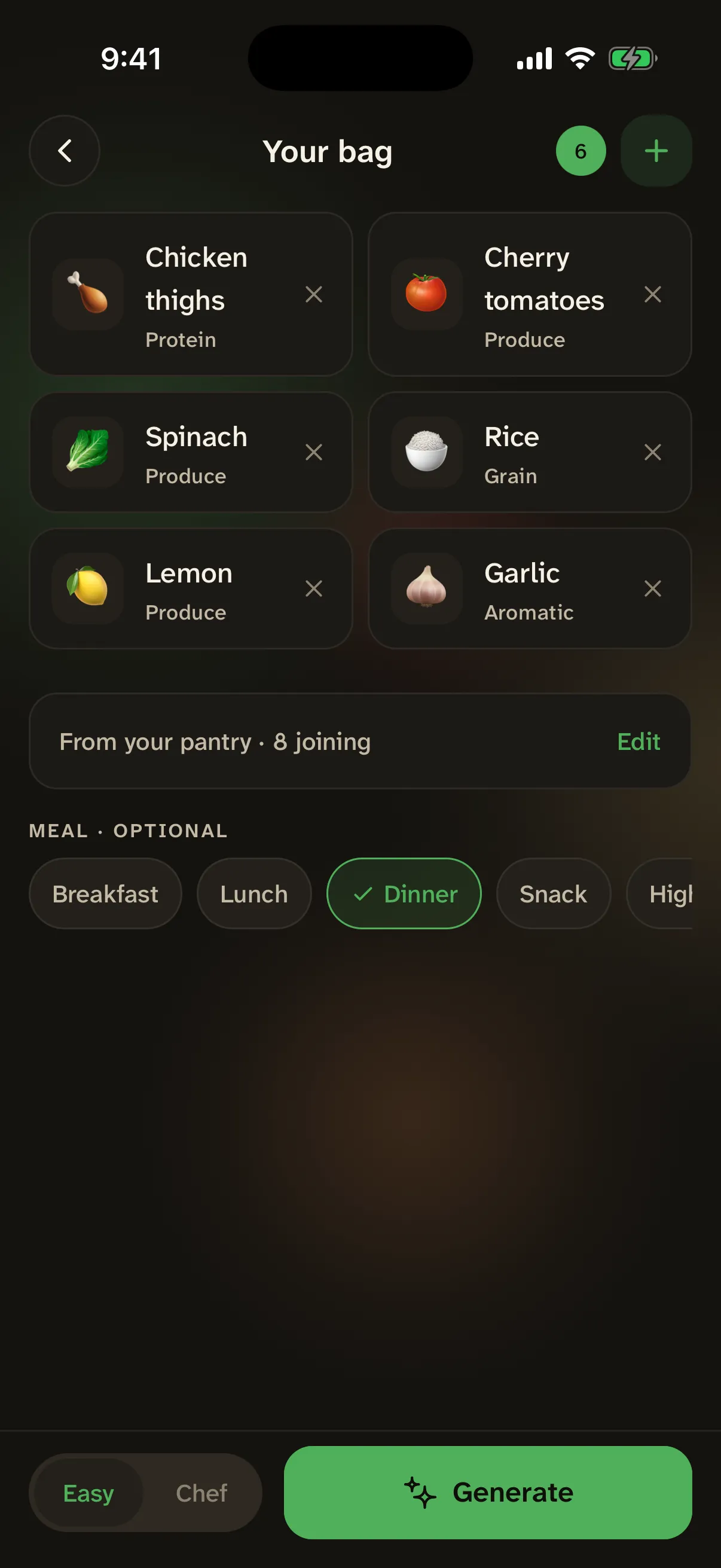
Photograph your fridge. It spots what's cookable.
-
Three real recipes, built from what you've got.
-
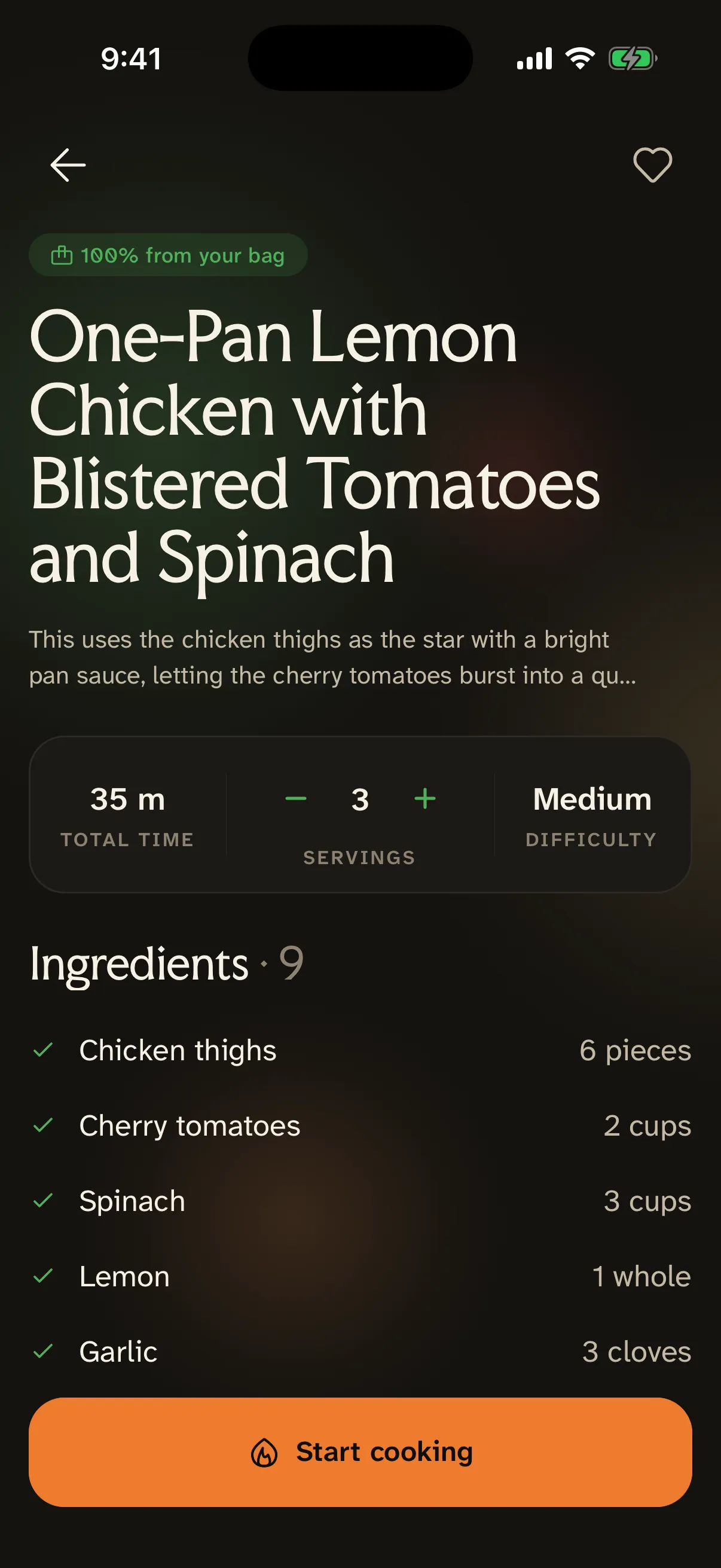
Easy or Chef — pick your effort.
-
Guided, step by step. Timers included.
In the app
What do you get?
Everything in Mealkit, from the first scan to the last step.
-
Unlimited recipes from what you already have
-
Barcode, receipt & fridge-photo scanning
-
Step-by-step cook mode for every recipe
-

Save every recipe you love
Real dishes
What do real cooks say?
Four real testers, four real dinners, photographed by the people who cooked them.
-

Penne with chicken and parmesan
I couldn’t have made this on my own.
-

Pork and shrimp fried rice
Turned out great, even though I burnt it a little.
-

Breakfast tostadas with sausage, egg and cheese
I’m not a chef. It still came out delicious.
-

Garlic parm chicken bites, broccoli, mash
I’ve cooked for years. It still finds me things I’d never have tried.
FAQ
Questions, answered.
What is Mealkit?
Mealkit is an iOS app that turns whatever's in your fridge into dinner. Photograph your fridge, scan a receipt or a barcode, or type what you've got — Mealkit builds 3 real recipes from your actual ingredients, not a shopping list of things to go buy first.
What can I scan?
Four ways in: photograph your fridge or counter, scan a grocery receipt, scan a product barcode, or type ingredients by hand. Photos are used only to spot what's in them — they're never stored.
How much does Mealkit cost?
Mealkit is $49.99 per year or $4.99 per week, after a 3-day free trial. The trial applies to either plan, and you can manage or cancel anytime in your Apple ID settings.
Do I need an account?
No. Mealkit works without an account — no sign-up, and you can start cooking immediately. Sign in with Apple is there if you want saved recipes to follow you across devices, but it never blocks you from cooking.
Is Mealkit a meal-plan subscription?
No. Mealkit doesn't hand you a weekly grocery list or assume a pantry you don't have. It looks at what's actually sitting in your kitchen right now and works from there.
When does Mealkit launch?
Mealkit is available for pre-order on the App Store right now. Pre-ordering is free — the app downloads to your phone automatically on launch day.

Never ask what’s for dinner again.
Pre-ordering is free and takes one tap. Mealkit installs itself the day it launches — nothing to fill in, nothing to remember.